Right-click any text field. Your prompts, instantly.
Stop re-typing the same prompts. Save them once in RCP, access them everywhere you type -- ChatGPT, Claude, Gmail, Notion, anywhere.
Watch it work, in one minute
You know the feeling
You write a great prompt, get the perfect result, and then... you can't find it next week. It's buried in a chat, a doc, or a Slack thread. Your team keeps asking for the same prompts. Nobody's using the same version.
Before: scattered across 5 apps
- Prompts scattered across Notion, Slack, and Google Docs
- Copy-pasting from emails and screenshots
- Different versions floating around the team
- No idea which prompts actually work best
After: one organized library
- All prompts in one organized library
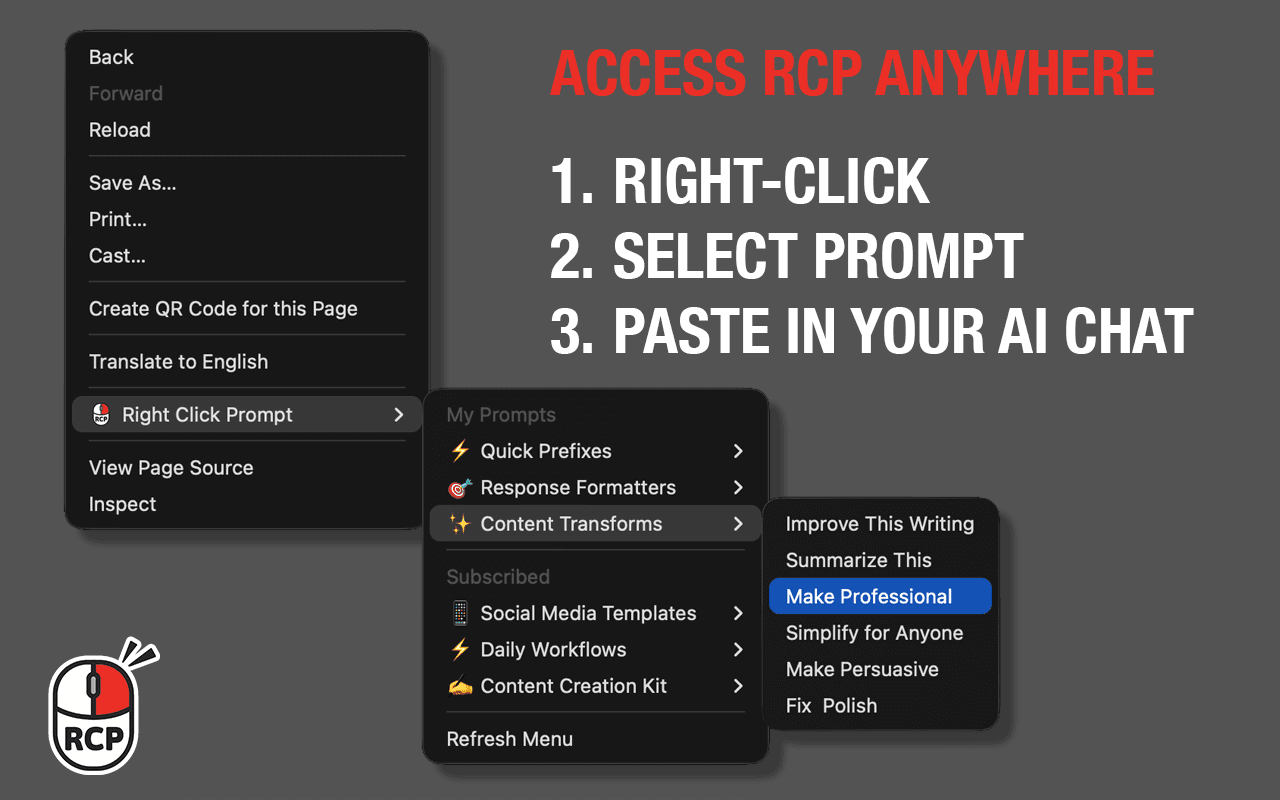
- Right-click to access anywhere you type
- Share folders with your team via a link
- Version history and usage analytics built in
Here's how RCP works
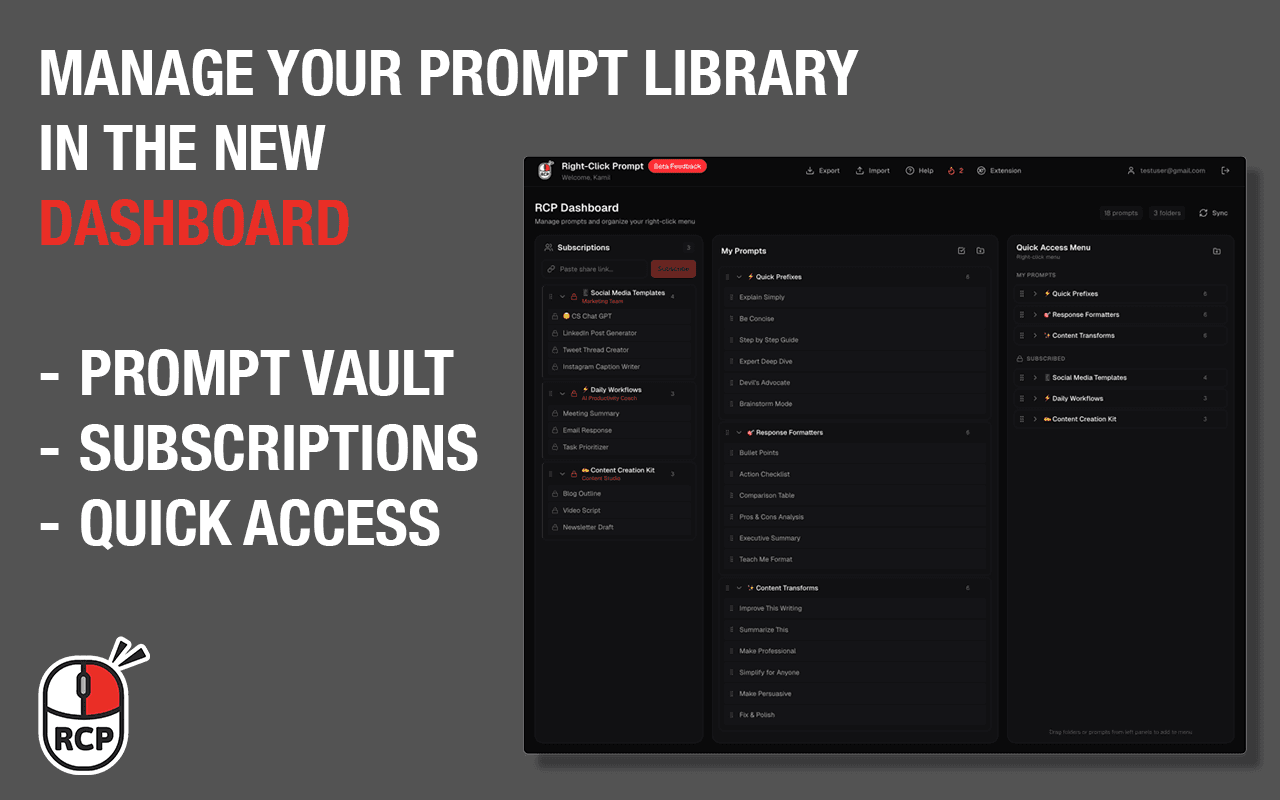
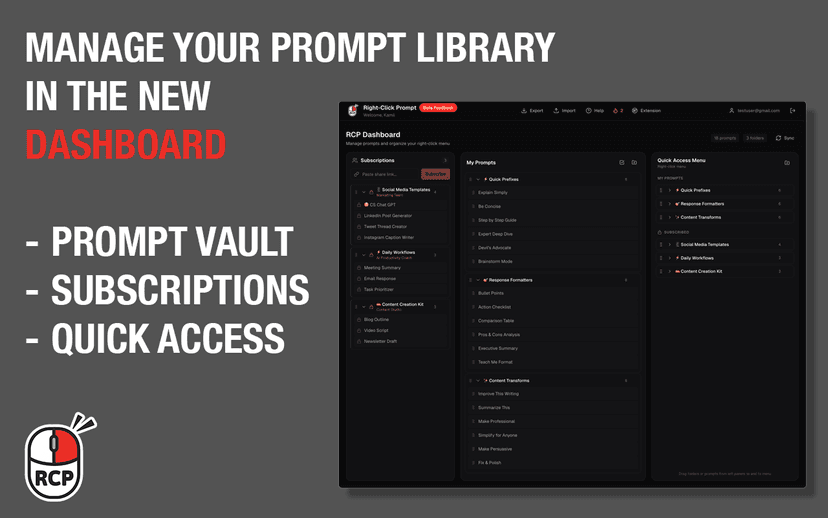
Create and organize prompts in your personal library
Drag prompts to Quick Access to sync with the extension
Right-click in any text field to insert prompts instantly
Everything included
Right-Click Access
Insert any prompt into any text field with a right-click. Works on ChatGPT, Claude, Gemini, email, Slack -- anywhere you type.
Cloud Sync
Your prompt library syncs across all your devices and browsers. Edit on your phone, access on your desktop. Always up to date.
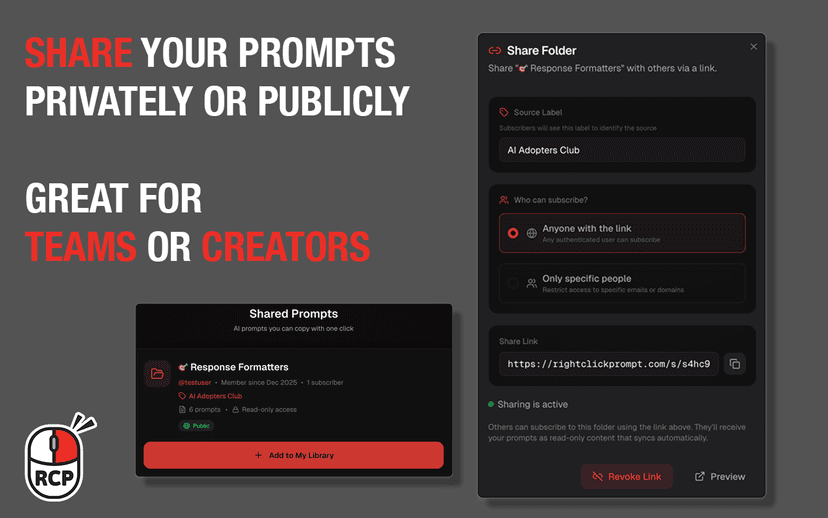
Team Sharing
Share prompt folders with your team via a simple link. Subscribers receive all updates automatically -- no manual syncing.
Version History
Every edit is tracked and saved. Roll back to any previous version of a prompt with a single click.
Usage Analytics
Track which prompts are used most, monitor your usage streaks, and see how much time you save.
Mobile Dashboard
Full dashboard access from your phone. Create, edit, organize, and share prompts on the go.
What users are saying
4.6/5 stars on the Chrome Web Store · 27 ratings
Extremely handy to have prompts right at the toolbar and a way to organize the crazy.
Cyd Work
Chrome Web Store
Perfectly designed! Simple, elegant, easy to use. I'm using it to help me write a book, and wish I'd found it way earlier.
Hamishwilson1000
Chrome Web Store
Nothing fancy. Does what it says it does cleanly, efficiently, and without bloat.
Frank Salerno
Chrome Web Store
Why not just use Notion?
RCP is purpose-built for prompt access -- not a general-purpose notes app shoehorned into a workflow.
| Feature | RCP | Notion / Google Docs | Text File |
|---|---|---|---|
| Access in any text field | ✓ | ✗ | ✗ |
| Organized by folder | ✓ | Manual | Manual |
| Team sync via link | ✓ | Requires access | ✗ |
| Works offline / mobile | ✓ | ✓ | ✓ |
| Version history | ✓ | ✗ | ✗ |
| Usage analytics | ✓ | ✗ | ✗ |
Common questions
Ready to try it?
Join 3,000+ users who've upgraded their AI workflow. 7-day free trial, no credit card required.